TwinMind's Voice Capture
Product Designer
iOS
Voice AI
2 weeks
What is TwinMind?
A voice-to-notes app that acts like your second brain. It captures audio, turns it into text and gives real-time AI insights. The iOS app had some points of friction and did not fully reflect the quality of an AI-native product.
What shipped
Even though this was a self-initiated concept, after sharing it with the team, the text note feature, slide-to-delete, contextual menu, and redesigned capture interface were all implemented. Users have heavily adopted the text note feature.
How I got here
Me and a few of my peers were using TwinMind during meetings and to capture thoughts throughout the day. We all ran into the same points of friction, moments where the app pulled our focus away. I started documenting where those breakdowns happened and redesigned them to make it smoother.
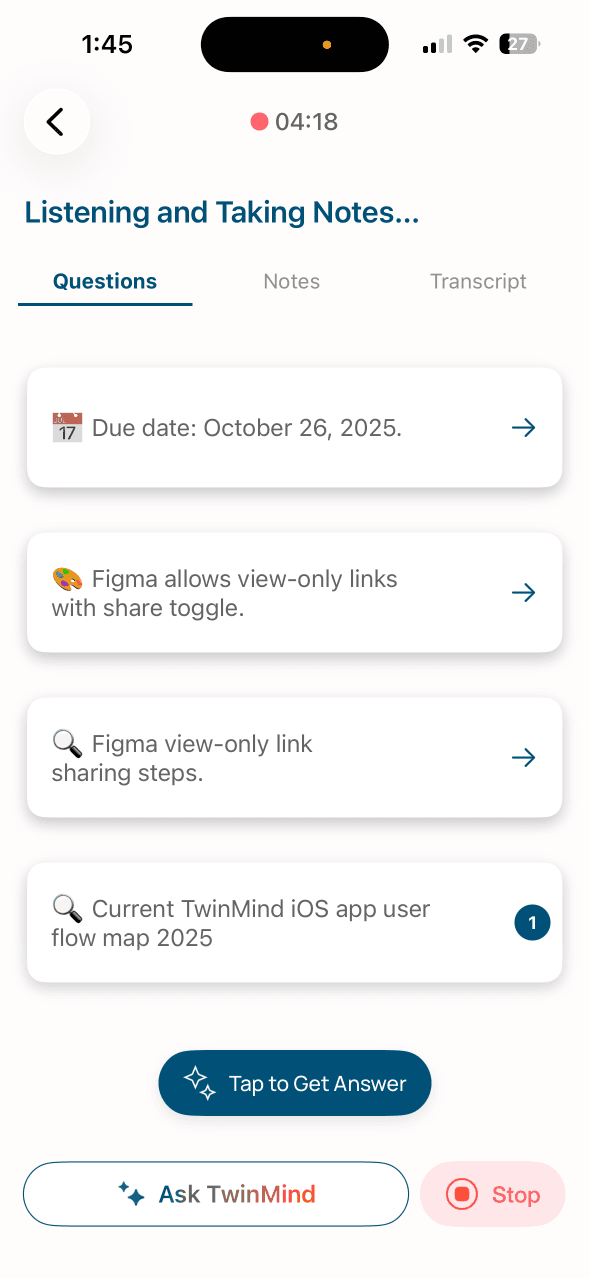
Friction during voice capture
I was mid-meeting, trying to check an AI suggestion and realized I couldn't do it without disrupting my recording. That moment made me look at the whole capture flow and realize how these small interruptions were slowly pushing the user away from the app.
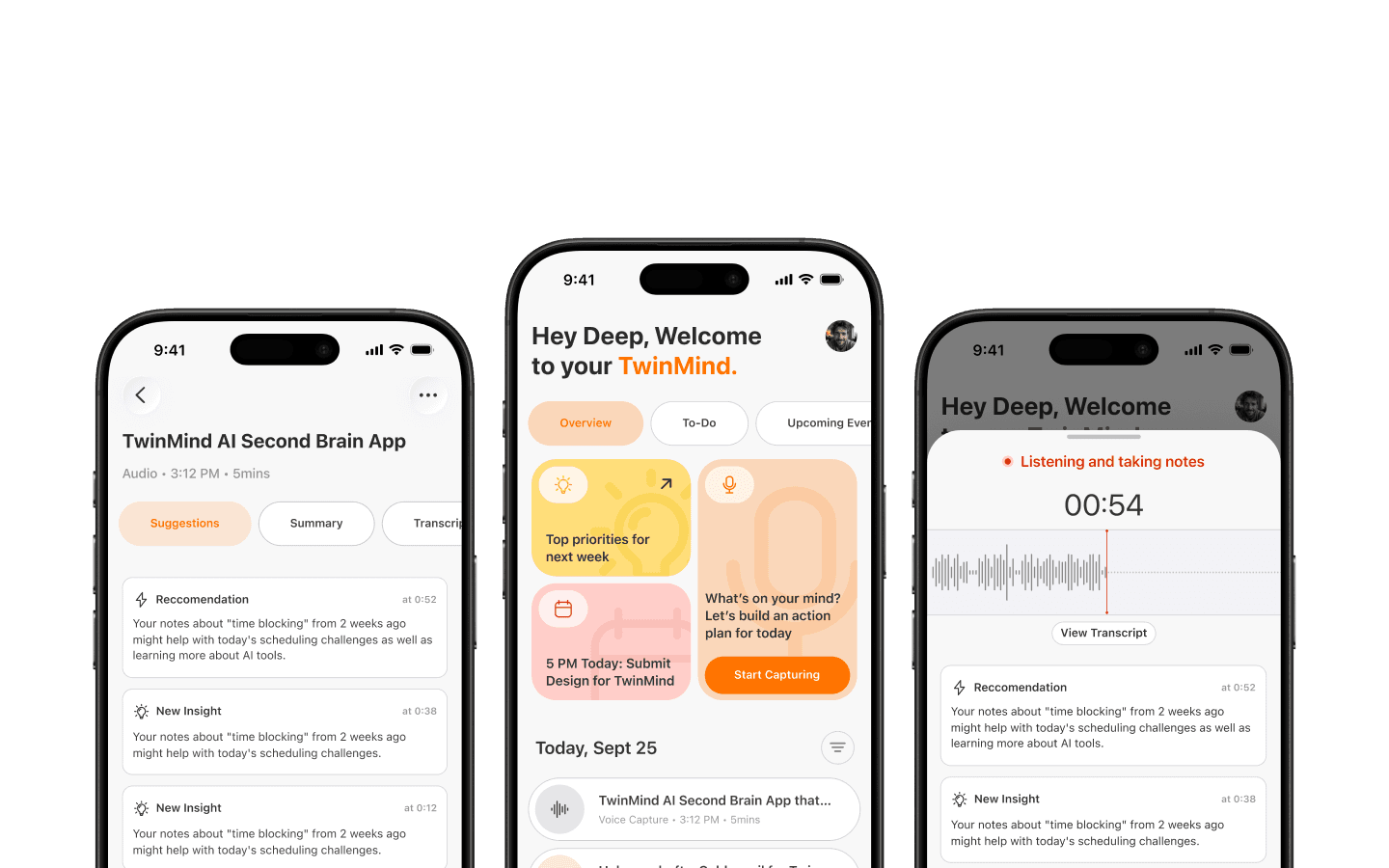
A New TwinMind
I also couldn't find a clean pattern for voice, text, and AI chat coexisting as primary actions. So I created a new one. A single timeline lets users filter between chats and audio notes.
Text Notes
The most requested feature "Text notes" now sits behind the capture buttons as a sticky note. No button, no mode switching. Just tap and type your thoughts.
Reimagined Notes Capture
Recording now lives in a bottom sheet. Users can swipe down to dismiss it while "Ask TwinMind" stays accessible. "Notes" became "Summary" to frame the output around value, not format.
Finer Interaction Details
Every product that feels smooth and simple to use has some invisible details that are carefully crafted. They aren't obvious but if you look closely you'll find those details make it feel good.
Slide to delete replaced the hidden long-press gesture with a pattern users already know
My Account section is now a bottom drawer with Manage Account, App Settings & Preferences
Contextual menu lets you edit title, share summary, copy transcript and delete the note
What I learnt
In the future, I would refine edge cases and more interactions not included in this version. Some of them would include handling no-audio scenarios, empty states for summaries, suggestions and transcripts.
I would also include a short countdown before recording to undo accidental taps, add micro-animations and focus more on refining the UX copy. These details would make TwinMind feel more alive—like a true second brain that thinks and reacts alongside the user.